 CuteMove
 Pictures that match what you type
Hundreds of pictures, sorted by what they say. CuteMove matches phrases, keywords and slang (even “sorryyy”), and shows your recents when nothing fits.
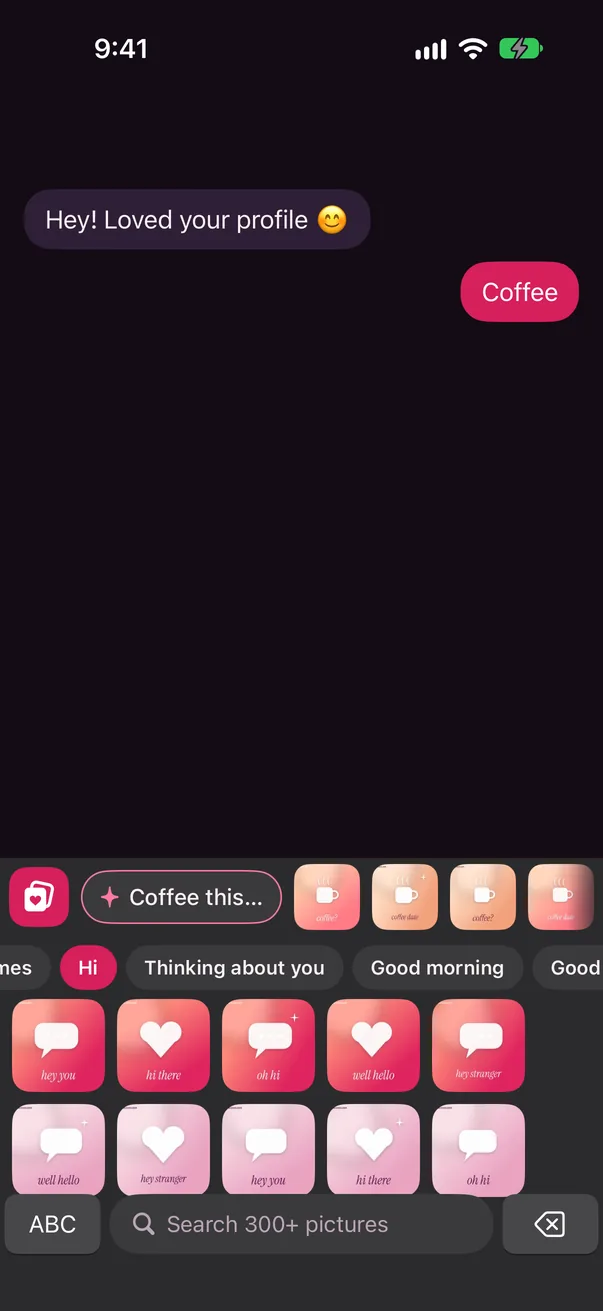
Type like normal. CuteMove suggests the perfect picture or line as you type, right above your keys. Tap it, paste it, send it. Cheeky, warm, and never cringe.
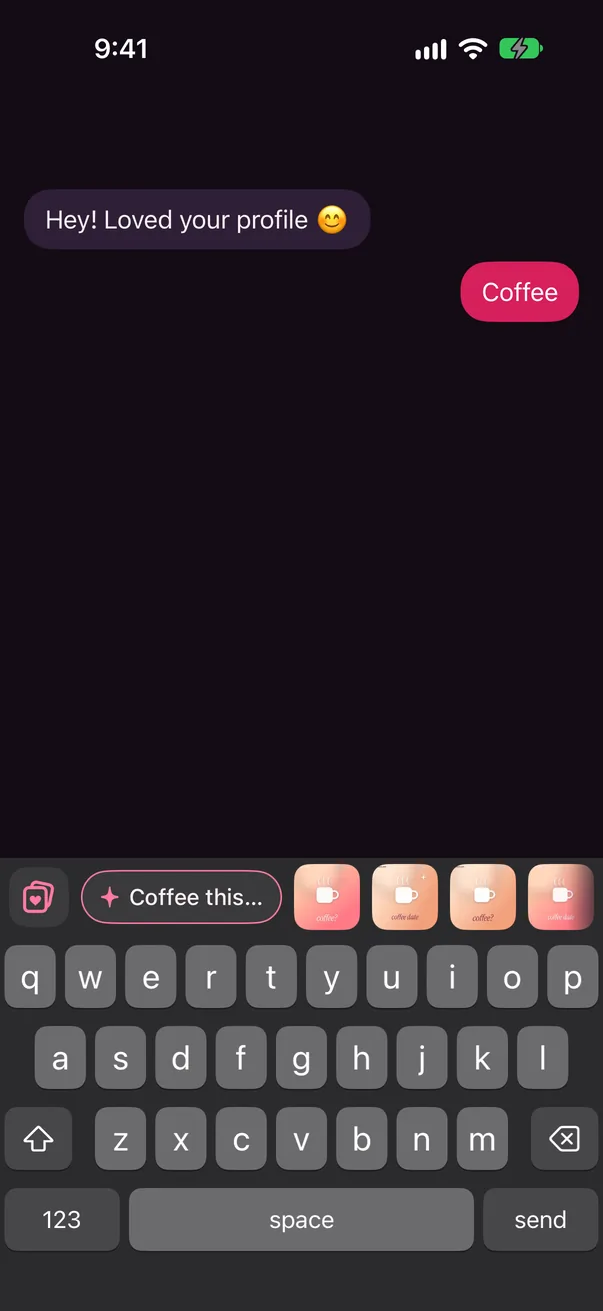
CuteMove is a full keyboard with a suggestion strip on top. It reads the last few words you type, on your iPhone, and offers a picture or a line that fits.
Write “good morning”, “coffee?” or “sorry” and the strip fills with pictures and a line to match.
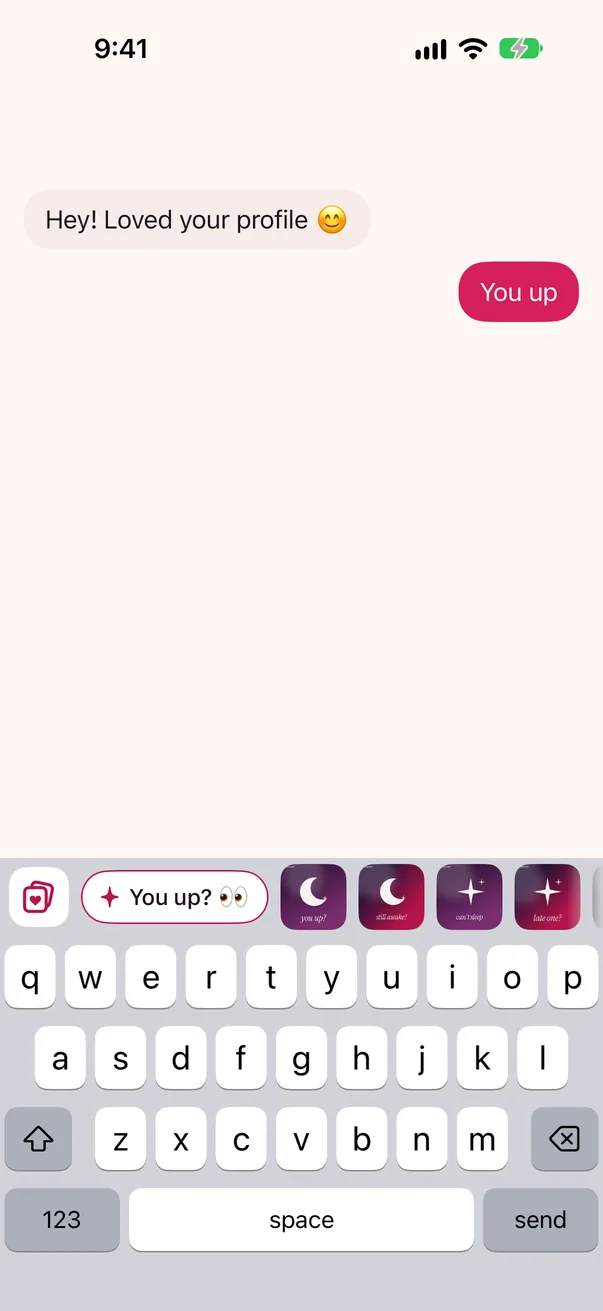
A line goes straight into your message. A picture is copied, ready to paste.
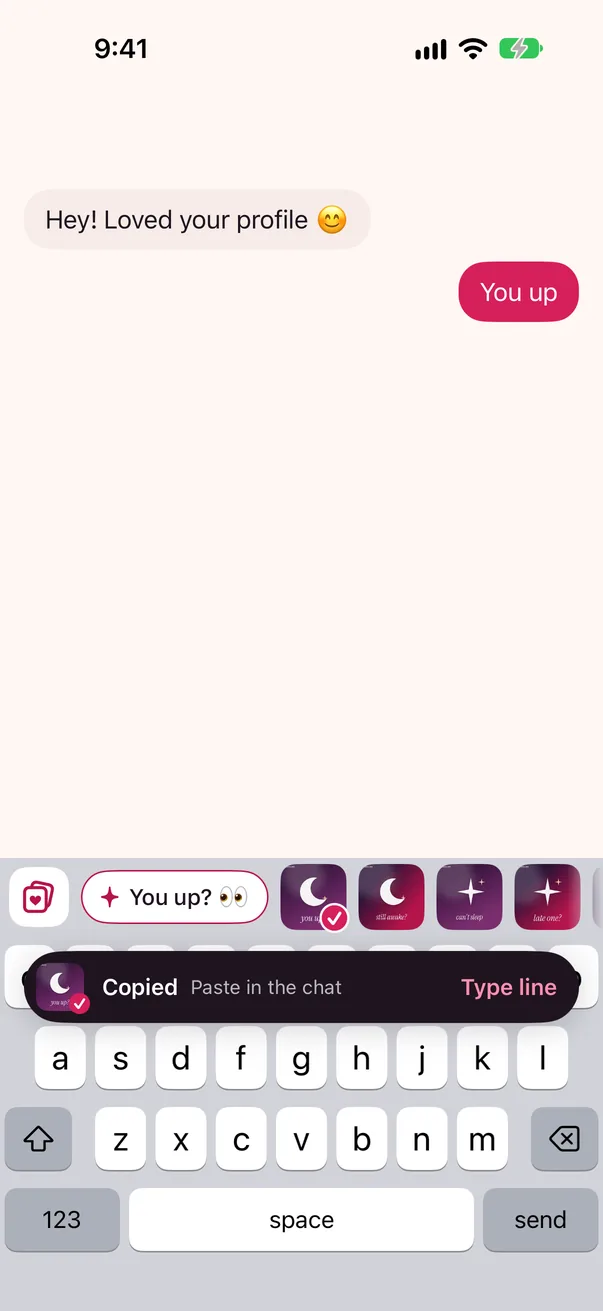
Paste it into Messages, WhatsApp, Instagram and more. If a chat won't take pictures, tap Type line instead.
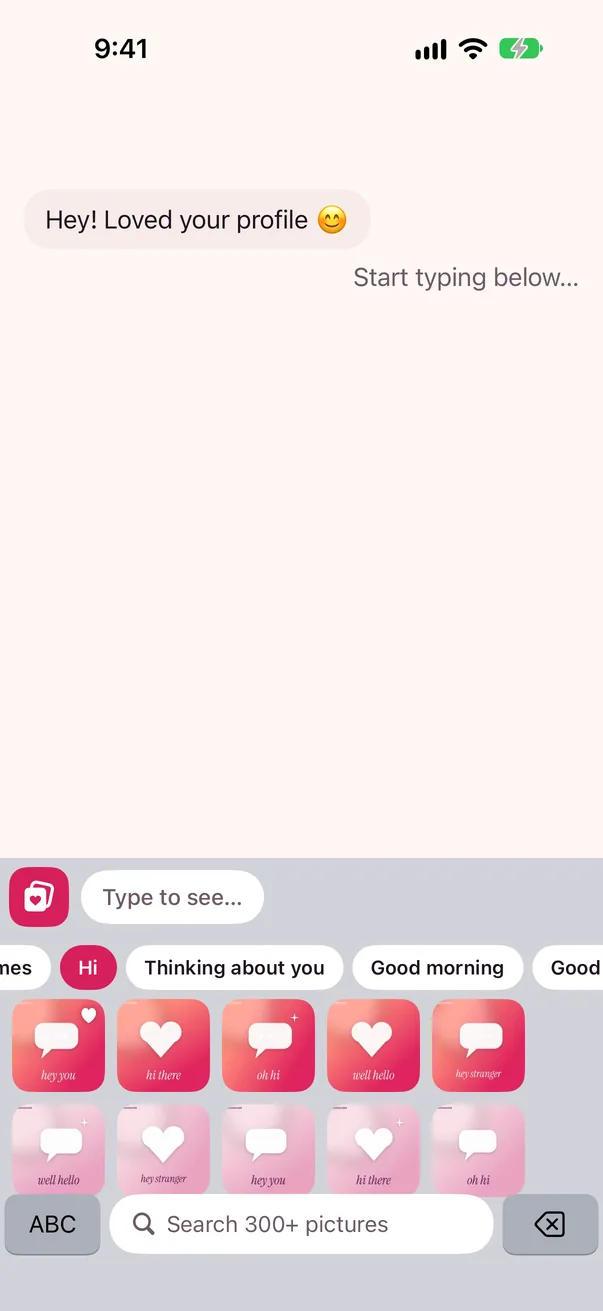
Pictures, lines and a fast, native-feeling keyboard, in one place.
Hundreds of pictures, sorted by what they say. CuteMove matches phrases, keywords and slang (even “sorryyy”), and shows your recents when nothing fits.
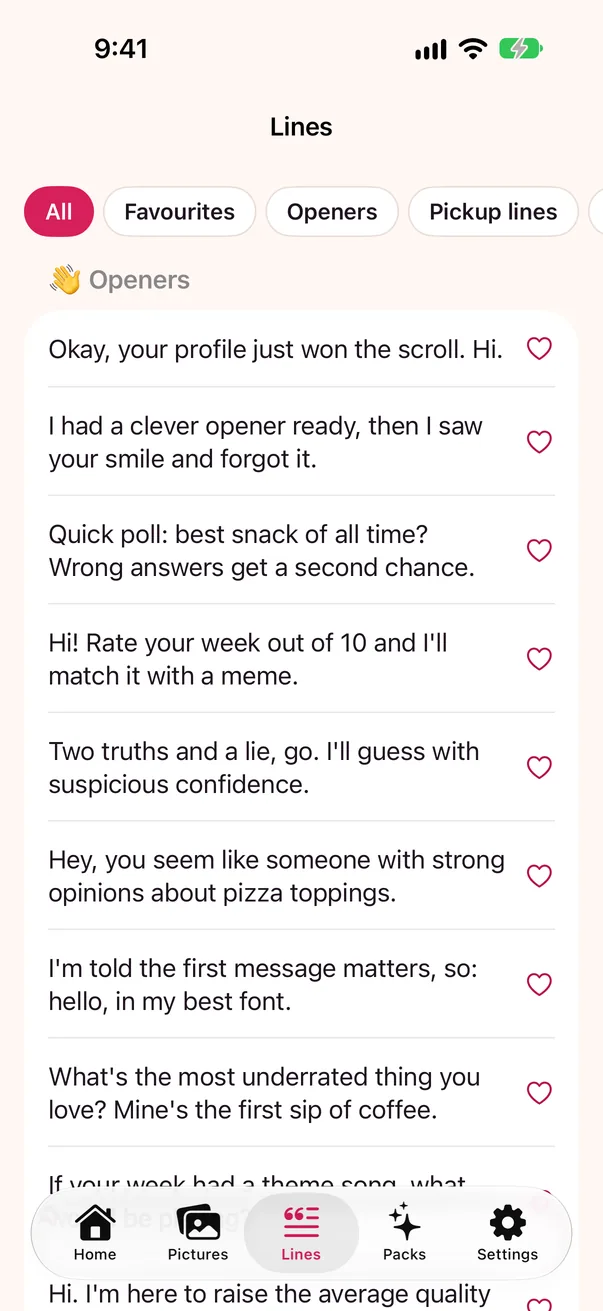
162 original lines in nine sets: Openers, Pickup lines, Compliments, Flirty replies, Good morning & night, Date asks, Comebacks, Playful teasing and Sorry. Tap one to insert it.
Native-style keys with glide typing, word suggestions and gentle autocorrect that leaves slang, names and Aussie words alone. Undo a correction with one backspace.
Browse by vibe, search the whole pack, press and hold to save a favourite, and find what you sent last in Recents.
Using Messages? Open CuteMove in the iMessage app drawer and drop stickers straight into the conversation. No extra setup.
If a message is about something serious, like grief, illness or a breakup, CuteMove stays quiet. It never jokes about a hard day.
Keyboards see what you type, so we built CuteMove to need nothing from you. Matching happens on your iPhone, in memory, and your words are never saved or sent anywhere.
App Store privacy label: Data Not Collected[Confirm: Make sure your App Privacy answers in App Store Connect say "Data Not Collected" before launch.]
iOS calls it “Allow Full Access” and shows the same warning for every keyboard. CuteMove only uses it to copy the picture you tap, and to see the packs and favourites you've saved in the app. Typing and lines work without it, and you can turn it off at any time.
Turn it on in Settings › General › Keyboard › Keyboards › CuteMove.
| What you can do | Without Full Access | With Full Access |
|---|---|---|
| Type, glide, word suggestions | Yes | Yes |
| See picture suggestions | Yes | Yes |
| Insert lines | Yes | Yes |
| iMessage stickers | Yes | Yes |
| Copy pictures to paste | No | Yes |
| Your packs and favourites in the keyboard | Free pack only | Yes |
| Anything sent off your iPhone | Never | Never |
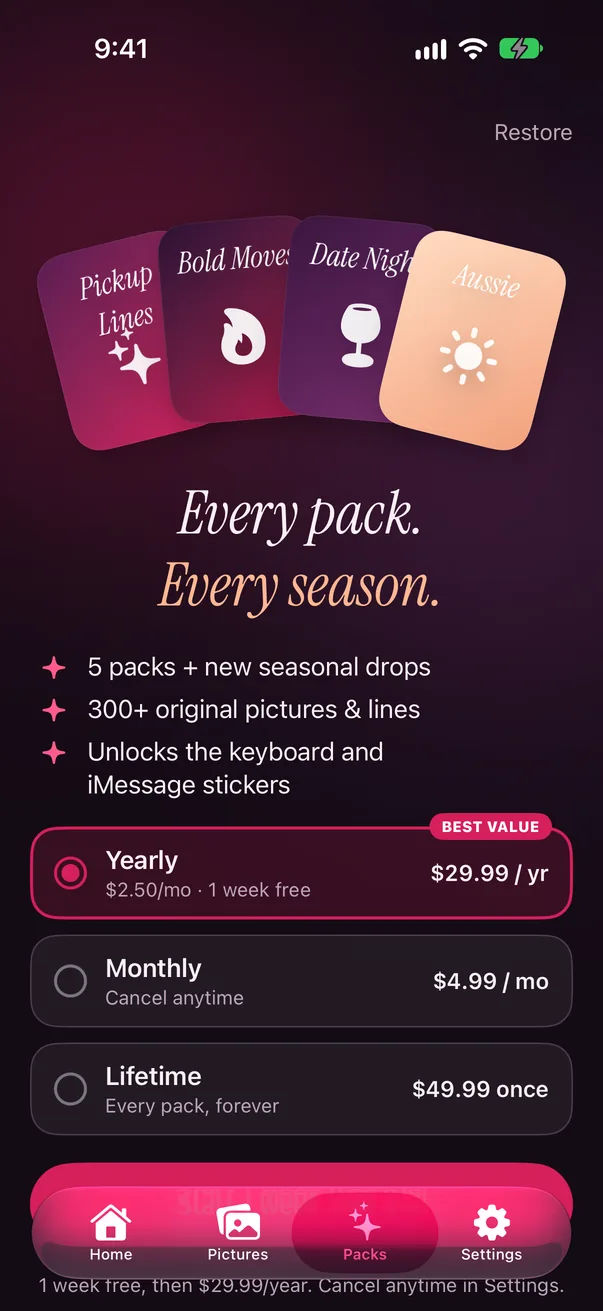
CuteMove is free to download with a starter pack of pictures and plenty of free lines. Unlock more whenever you like.
A$0
A$29.99 / year
A$49.99 once
Prices are in Australian dollars and include GST. Purchases are made through the App Store and managed with your Apple Account. Subscriptions renew automatically until you cancel in Settings. Nothing is ever sold inside the keyboard. [Confirm: These are the planned prices from the app's test store file, and the products aren't in App Store Connect yet. Check them, and the free trial and seasonal drops, against App Store Connect before launch.]
CuteMove works in any app that lets you choose a keyboard. Pictures paste wherever a chat accepts pasted images, and lines work everywhere you can type.
Good to know: some dating apps don't accept pasted pictures. When that happens, tap Type line on the “Copied” message and CuteMove types the matching line instead.
CuteMove is made for iPhone and needs iOS 17 or later. It isn't available for Android.
Open CuteMove and follow the one-minute setup. Or go to Settings › General › Keyboard › Keyboards › Add New Keyboard…, choose CuteMove, then switch keyboards with the globe key or by pressing and holding the emoji key.
No. iOS always uses its own keyboard in password fields. In other fields CuteMove looks at the last few words before your cursor, on your iPhone and in memory only, so it can suggest a picture. It never saves or sends what you type, and it can't read the messages other people send you.
iOS shows the same warning for every keyboard that asks for Full Access, because it lets a keyboard do more, such as copy pictures. CuteMove uses it only to copy the picture you tap and to see the packs and favourites you've saved in the app. CuteMove has no code that sends data anywhere, so what you type stays on your iPhone.
Some apps only accept photos from their own picker, so pasting a picture does nothing. Tap Type line on the “Copied” message to send the matching line instead, or use the picture in another chat.
Subscriptions are managed by Apple: go to Settings › [your name] › Subscriptions to cancel. To get your purchases back on a new iPhone, open CuteMove's Packs screen and tap Restore.
Grown-ups who want their chats to be a bit more fun, from first messages to good-morning texts. The tone is cheeky but always respectful. [Confirm: Match this to the App Store age rating you set in App Store Connect.]

CuteMove for iPhone. Free to download, with no account needed. Questions? Visit Support.